


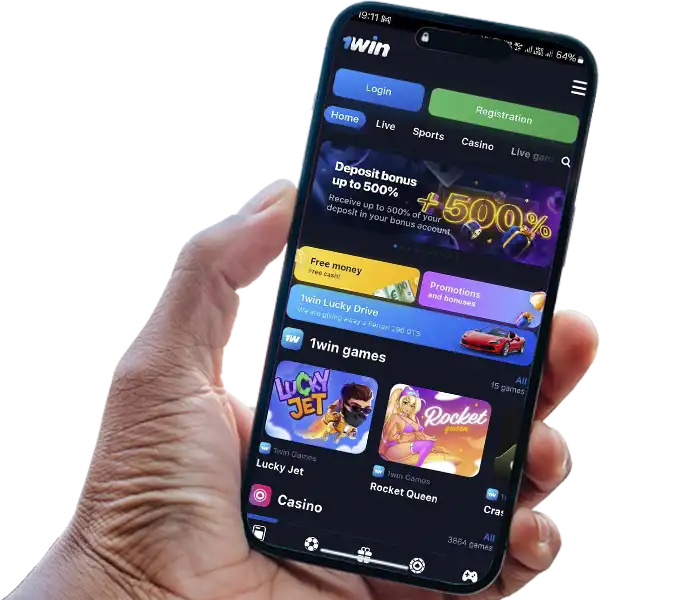
There’s no 1Win app on the App Store, and that’s not an oversight — Apple’s policies around real-money gambling apps mean 1Win, like most betting and casino operators, distributes its iOS experience as a Progressive Web App (PWA) instead. It installs from Safari in under two minutes, works offline for cached content, and updates automatically without ever touching the App Store. This guide covers exactly how to install it, what’s genuinely different about it compared to just using the mobile site in a browser tab, and how to fix the handful of installation and login errors that come up most often. You can get started directly at 1Win using the steps below.
Specifications
| Field | Details |
|---|---|
| OS | iOS 13.0 or later (Safari required for installation) |
| Language | Multiple languages supported, based on account settings |
| Genre | Sports Betting & Casino |
| Format | Progressive Web App (PWA) — no App Store listing |
| Developer | 1Win |
| Size on Device | Minimal — PWAs cache content on demand rather than installing a fixed package size the way a native app does |
| User Rating | Not applicable — since the app isn't listed on the App Store, there's no independently verifiable public rating to cite here |
A note on that last row: some competing guides list a specific star rating for the iOS app. Since there’s no App Store listing to source that number from, any such rating isn’t independently verifiable, and this guide won’t invent one.

Start Downloading 1Win iOS App
Is There a 1Win App for iPhone?
Not in the traditional App Store sense — and this applies to real-money gambling operators generally, not just 1Win. Apple’s guidelines restrict native gambling apps in most regions, so 1Win built a PWA instead: a home-screen icon that opens a full-screen, app-like interface running on Safari’s WebKit engine, without needing App Store approval or updates.

Instructions 1Win iOS App
How to Install the App on iOS
- Open Safari on your iPhone or iPad — the installation only works reliably in Safari, not in Chrome or other browsers on iOS, due to how Apple restricts PWA installation to its own browser engine.
- Go to 1Win’s mobile site and log in or register first if you don’t have an account yet.
- Tap the Share icon at the bottom of the Safari screen (the square with an upward arrow).
- Scroll down and select Add to Home Screen.
- Confirm the name and tap Add in the top-right corner.
- Find the new icon on your home screen and tap it to launch the app in full-screen mode.
The whole process takes under two minutes and requires iOS 13.0 or later for a stable experience — older iOS versions may still load the site, but full-screen mode and offline caching become less reliable below that threshold.

iOS 1Win App Add to Home Screen
What Limitations Exist
A PWA isn’t identical to a native app, and it’s worth knowing where the gap actually shows up:
- Push notifications are more limited than on Android’s native app — iOS restricts what web-based apps can send compared to apps distributed through the App Store.
- An internet connection is required for real-money actions. Cached pages can load briefly offline, but betting, deposits, and casino games all need an active connection.
- No App Store update prompts. Updates happen automatically in the background the next time you open the app with a connection — there’s nothing to manually approve or install.
1Win Apps Menu
How the App Differs from the Mobile Website
The functional difference between installing the PWA and simply bookmarking the mobile site in Safari is smaller than it might seem, but it’s real:
- Full-screen display — the PWA opens without Safari’s address bar and browser chrome, closer to how a native app looks.
- Faster repeat loading — cached assets from the PWA load quicker on return visits than a fresh browser tab typically would.
- A persistent home-screen icon — one tap from the home screen versus navigating back to a bookmark or typing the URL again.
- Session behavior stays largely the same — login sessions and timeouts behave similarly whether you’re in the PWA or a regular Safari tab, since both ultimately run the same web application underneath.
If you’d rather not install anything, the mobile website in Safari offers the same core functionality — the PWA is a convenience layer, not a separate feature set.

Sign Up at 1Win on iOS
Common Errors During Installation and Login
Blank or white screen after installation — usually resolves by force-closing the app (swipe up and away in the app switcher) and reopening it, which forces a fresh load of the cached assets.
“Add to Home Screen” option missing from the Share menu — confirm you’re using Safari specifically, not another browser; this option doesn’t appear in Chrome or Firefox on iOS due to Apple’s browser engine restrictions.
Site appears blocked or won’t load — this typically means your network or region is blocking the primary domain. Using the current official mirror link (check 1Win’s official channels for the active one) resolves this in most cases.
Login fails after installation — double-check that you’re using the same credentials as your existing account; the PWA doesn’t create a separate account from the mobile site.
Deposit doesn’t complete after redirect to a payment provider — return to the app manually via the home screen icon rather than waiting for an automatic redirect back, which can occasionally fail to trigger inside the PWA’s sandboxed browser context.
Security and Updates
The PWA connects to the same secure, encrypted backend as the desktop site and Android app — installing it doesn’t introduce a different security model. Since there’s no App Store to push updates through, new versions of the underlying web app deploy server-side and apply automatically the next time you open it with an internet connection; there’s no manual update step and no risk of running an outdated, unpatched version.
 Oliver Bridgewater

