


1Win Login Guide
Getting into your 1Win account should take seconds — but when it doesn’t, the reason is almost always one of a handful of specific, fixable causes. This guide covers every way to log in, both password-recovery scenarios (with and without access to your email), what actually triggers a temporary restriction, how to get past a country-level block, and the account-security practices that matter most given how 1Win actually verifies logins — not generic advice copied from unrelated platforms.
How to Log In via the Website
- Go to the official 1Win site and click Login in the top-right corner.
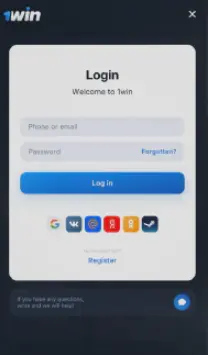
- Enter your registered email or phone number, plus your password — or use one of the supported social accounts instead: Google, Telegram, VK, Yandex, Mail.ru, Odnoklassniki, Twitter, or Steam.
- Click Login to reach your dashboard.
If you registered with a social account, log in the same way going forward — clicking that platform’s icon rather than typing an email and password. One detail worth knowing before you rely on this: your social profile’s name and details need to reasonably match what’s on file for your 1Win account. A mismatch won’t stop you from logging in, but it can create friction later if it comes up during identity verification for a withdrawal.
1Win Login Button
How to Log In via the App
The Android and iOS apps use the identical login flow — same credentials, same social login options. The one practical advantage: the app can keep you signed in across sessions, and it’s also the most reliable way to reach your account if the website is ever blocked in your country (more on that below).
1Win Login Via App
If You Forgot Your Password
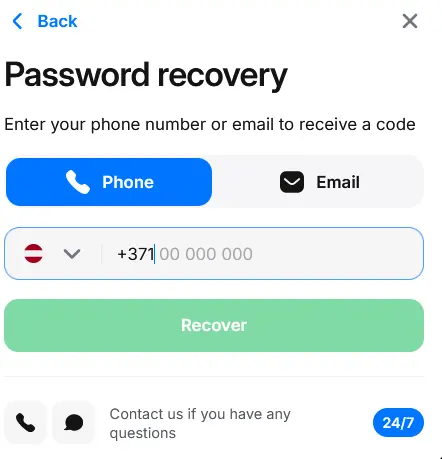
If you still have access to your registered email: go to the Login page, click Forgot Password, enter your email, and follow the reset link sent to your inbox. This is the fast path — most resets complete in a few minutes.
If you’ve lost access to both your email and your phone number: this is the scenario most login guides don’t cover, and it’s the one that actually matters when things go wrong. Contact 1Win support and you’ll be asked to verify your identity by submitting a selfie holding your open passport next to your face. Once that’s confirmed, account access is typically restored within about an hour. This path exists specifically as a fallback for the case where the standard email-reset link has nowhere to go.
1Win Password recovery
Common Login Problems and What Actually Causes Them
| Problem | Likely cause | What to do |
|---|---|---|
| "Incorrect password" on a password you're sure is right | Caps Lock on, or a saved password that's outdated | Retype manually; reset if it still fails |
| Site won't load or times out | Cached data conflict, or a country-level block | Clear browser cache first; if that doesn't help, see the blocking section below |
| Logged out unexpectedly, or asked for extra verification | Login from a new device, new location, or a flagged pattern on the account | Complete the requested verification step — this is a security check, not an error |
| Can't remember which email or phone you registered with | Multiple attempts to register, or a very old account | Contact live chat with any details you do remember (approximate signup date, deposit history) |
The middle row is worth understanding rather than just working around: 1Win’s system does automatically flag logins from unfamiliar devices, unusual locations, or accounts showing suspicious activity patterns, and responds by requiring extra identity confirmation before granting access. That’s not a bug — it’s the platform’s actual security model, built around adaptive checks at login time rather than a separate, manually-toggled security setting. If you’re asked for extra verification you weren’t expecting, that’s the system doing its job, not a sign something’s broken.
1Win Choose Country
Getting Past a Country-Level Block
Some countries restrict access to online betting and casino sites entirely — Russia is a clear example, where such platforms are blocked at the network level. If you’re in a restricted region, you have a few real options, in order of long-term reliability:
- Download the mobile app. This is the most durable solution: once installed, it isn’t subject to the same site-blocking that affects browser access, and it gives you the full functionality of the platform.
- Use an official mirror link, requested through 1Win’s own channels or customer support rather than an unverified third-party site. A mirror is functionally the same platform at a different address.
- Use a browser with built-in VPN, such as Opera, or a standalone VPN service.
Worth knowing before you rely on any of these: mirror sites can themselves get blocked over time, the same way the main domain can, so treat a mirror as a working solution for now rather than a permanent fix. If your mirror stops working, request a fresh one rather than searching for an unofficial replacement — links from unverified sources are a common phishing vector in exactly this situation.
Using a VPN to access a gambling site from a jurisdiction where online betting is restricted can carry legal consequences independent of anything 1Win does — this varies by country, and readers should check local law rather than assume a working VPN connection means the activity is permitted where they live.
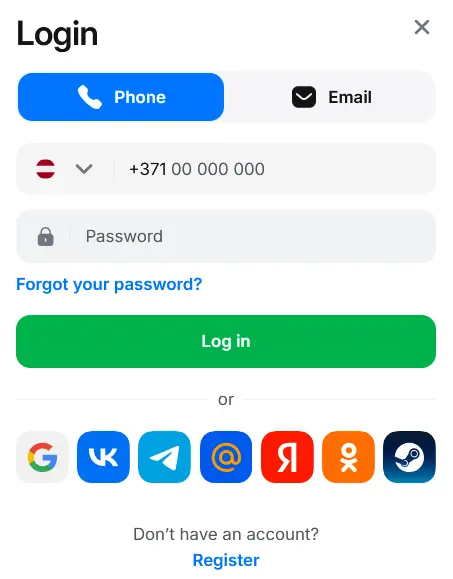
1Win Login via Phone
Account Verification: What It Actually Requires
Verification happens in two stages. Basic verification is just confirming your email and phone number, and it’s typically immediate. Full identity verification — required before you can withdraw funds, and automatically required once your account activity crosses roughly $1,000 in cumulative deposits or withdrawals — asks for a government-issued ID (passport or driver’s license), and sometimes proof of address such as a bank statement or utility bill. This step usually takes one to three business days.
It’s worth completing this before you actually need to withdraw, not after: an account with verification already on file recovers access faster in every scenario above — password reset, flagged login, or lost contact details — because there’s already a confirmed identity on record to check against. An unverified account facing any of those situations takes longer, simply because the verification step has to happen from scratch at the same time you’re trying to regain access.
1Win Start Verification
One Account Per Player
1Win allows exactly one account per person. Registering a second account — even with different details — violates the platform’s terms and risks having both accounts blacklisted, along with forfeiting any accumulated loyalty status. If you genuinely want to start fresh, the correct path is to contact live chat and request account deletion rather than registering a new one; deletion is usually processed within a few minutes. Keep in mind that this also means losing your accumulated 1Win Coins balance and any eligibility for a new welcome bonus tied to a second signup — a fresh account doesn’t get a second welcome offer.
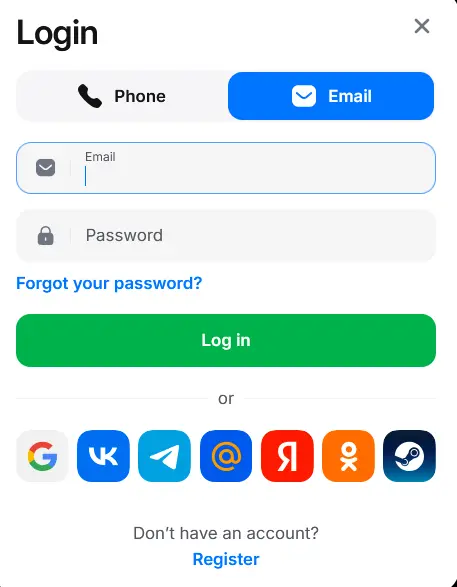
1Win Login via Email
Security Practices Worth Actually Following
- Use a password unique to this account — not one reused from email or another betting site, since credential-stuffing (trying leaked passwords from other breaches) is one of the most common ways gambling accounts get compromised.
- Never enter your login details after clicking a link from an SMS, email, or message you didn’t expect — go to the site directly instead. This is the single most effective defense against the phishing links that circulate around blocked-access situations specifically.
- Match your registered details across every login method you use. If you log in via both email and a linked social account, keeping the name and contact info consistent avoids friction during verification later.
- Complete verification while everything’s working, not while you’re locked out. As covered above, this is what makes every recovery scenario faster.
1Win Email Verification
 Oliver Bridgewater

